
Download STDU Explorer – eBook reader, image viewer, file manager, PDF viewer, DjVu viewer, digital library, document viewer, mobile app
Overview
STDU Explorer is a productivity-focused mobile application designed to streamline the management and viewing of digital media, particularly images and eBooks. Its core purpose is to serve as a unified platform for users who frequently interact with diverse file formats, offering a centralized solution for organizing, browsing, and reading digital content. The app addresses common challenges such as format fragmentation and the need for multiple specialized tools by consolidating support for a wide array of file types within a single interface. This makes it especially useful for individuals maintaining digital libraries or managing large collections of visual and textual documents.
Target users include eBook enthusiasts, digital archivists, students, and professionals who regularly handle PDFs, DjVu files, and common image formats like JPEG, PNG, BMP, and GIF. The app’s ability to display and manage these files without requiring external applications enhances workflow efficiency. While the developer, STDU Software, is noted for its focus on document and image processing tools, specific details about the company’s broader background were not provided. Nonetheless, the app’s long-standing presence in the digital ecosystem—first released in 2013—suggests a degree of stability and user trust.
Real-world use cases include reviewing academic papers in PDF format, browsing scanned documents in DjVu, organizing personal photo collections, and reading digital books on the go. The app’s free pricing model further increases its accessibility, making it a valuable utility for users seeking a lightweight, no-cost solution for managing digital content on Android devices.
Key Features & Functionality
STDU Explorer delivers a suite of practical tools tailored to efficient file handling and digital content consumption. The application supports a broad range of formats, including PSD, BMP, PNG, GIF, JPEG, WMF, PDF, and DjVu, enabling users to access and view files without conversion or third-party software. This compatibility reduces friction in workflows involving mixed media types, especially for users managing both visual and textual documents.
- Multiple Format Support: Users can open and view files across different categories—images and eBooks—without switching between apps. This is particularly beneficial for those who store documents in less common formats like DjVu, which are often incompatible with standard viewers.
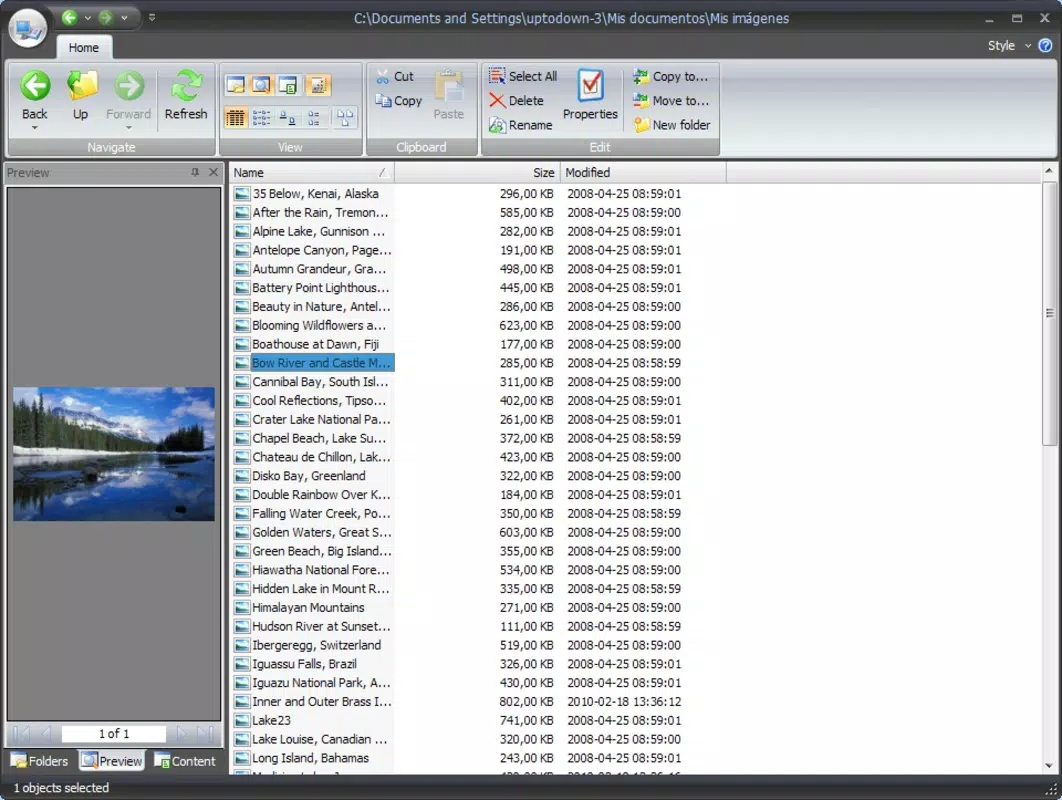
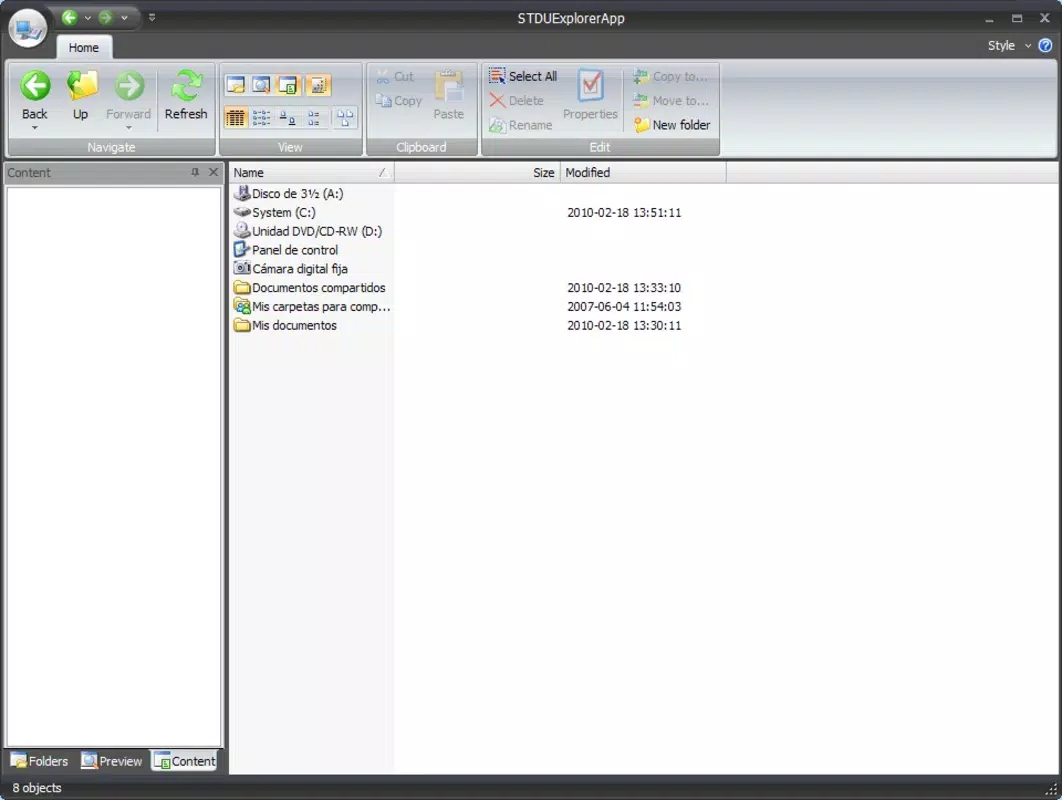
- Basic File Management: The app includes built-in functions such as cut, copy, paste, and rename, allowing users to organize files directly within the application. This eliminates the need to rely on a separate file manager for routine tasks.
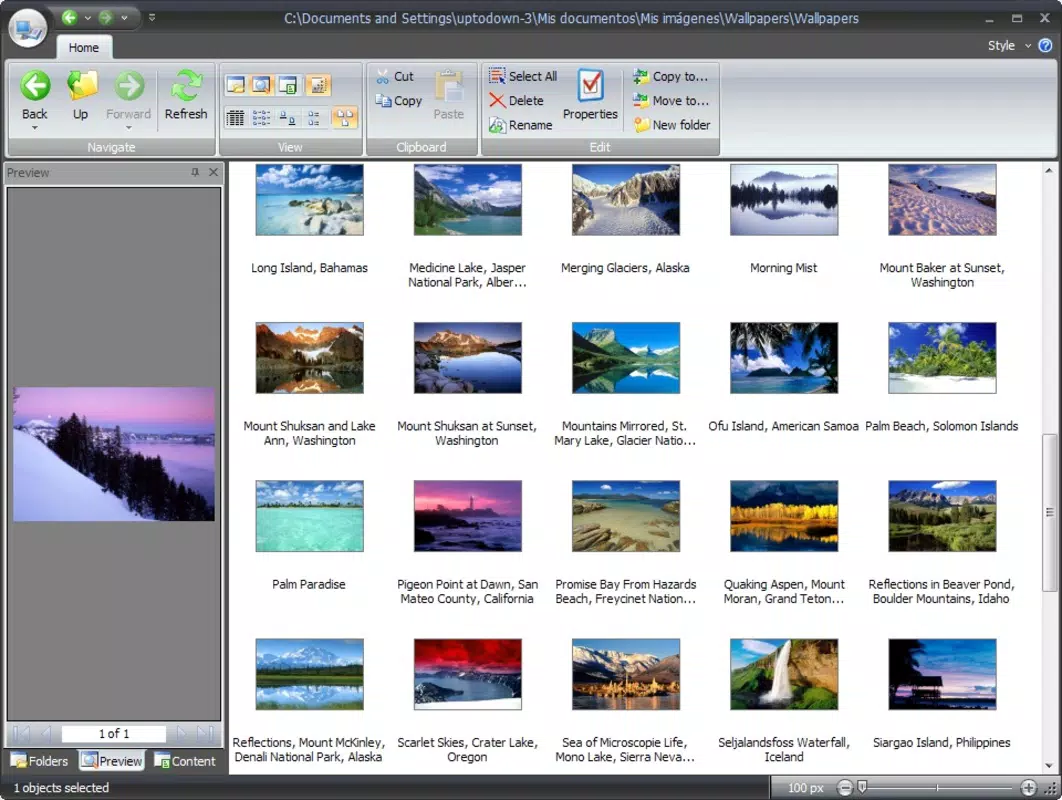
- Adjustable Thumbnail View: The thumbnail display can be customized in size, enabling users to balance detail and screen space based on their preferences. This feature enhances usability when browsing large image or document collections.
- Integrated eBook Reading: With built-in reading capabilities, users can open and navigate eBooks directly within STDU Explorer, supporting a seamless reading experience without external tools.
- Multiple View Modes: The interface supports various display options—icon, list, and thumbnail views—allowing users to tailor the layout to their current task, whether organizing files or reading content.
For example, a student can use the app to open a scanned lecture PDF, adjust the thumbnail size for easier navigation, and switch to reading mode for full-screen viewing. Similarly, a photographer might use it to preview and rename batches of image files before transferring them to another device.
Interface, UX & Performance
The user interface of STDU Explorer is designed with functionality and clarity in mind. The layout emphasizes accessibility, placing essential tools and navigation elements within intuitive reach. Visual style is minimalistic, focusing on content display rather than decorative elements, which contributes to a clean and distraction-free experience. Navigation is straightforward, with file directories and thumbnails presented in a hierarchical structure that supports quick access to stored content.
Users can move between folders, view file details, and apply management functions with minimal taps. The responsiveness of the interface appears consistent across device categories, although specific performance metrics were not disclosed by the developer. The app maintains stability during routine operations such as file opening, thumbnail rendering, and basic editing tasks.
Although the developer did not list formal performance metrics, the application’s lightweight footprint of 12.8 MB suggests efficient resource usage, which is advantageous for devices with limited storage or older hardware. The app’s ability to handle multiple file types without significant lag indicates optimized handling of image and document rendering processes.
Platform Compatibility & Technical Requirements
STDU Explorer is available for Android devices, making it accessible to a wide range of users across different hardware configurations. The app is compatible with Android operating systems, though the specific minimum OS version was not listed by the developer. This lack of detailed compatibility information means users should verify system requirements based on their device’s configuration.
The application’s file size is 12.8 MB, which is relatively small and indicates a lean design with minimal overhead. This size makes it suitable for installation on devices with limited storage space, including budget smartphones and older models. The app is available for free, removing financial barriers to access and encouraging broader adoption.
Specific requirements such as RAM, processor specifications, or screen resolution were not disclosed. As such, compatibility with newer or lower-end devices remains unverified. Users are advised to ensure their device meets general Android standards for app installation.
Pros and Cons
Pros
- Supports a wide variety of file formats including PDF, DjVu, and common image types.
- Includes essential file management tools like cut, copy, paste, and rename.
- Offers adjustable thumbnail views for personalized browsing.
- Provides built-in eBook reading functionality without requiring additional software.
- Lightweight design with a small file size of 12.8 MB.
- Completely free to download and use.
Cons
- Developer did not provide detailed system requirements or minimum OS version.
- Specific performance benchmarks or optimization details were not disclosed.
- Limited information on update frequency or long-term development plans.
- Interface may appear basic to users accustomed to modern, feature-rich design standards.
- No mention of cloud integration or synchronization features.
FAQ
Is STDU Explorer safe to download and install?
Yes, the app is available for free on Android and is distributed by STDU Software. As with any mobile application, it is recommended to download from official sources to ensure authenticity and avoid potential security risks.
Does STDU Explorer support cloud storage integration?
The developer did not disclose any information about cloud storage connectivity or synchronization features. Users should assume local file access only unless otherwise specified.
Can I use STDU Explorer on iOS devices?
Based on the provided information, STDU Explorer is currently available only for Android. There is no indication of iOS compatibility at this time.
How often is STDU Explorer updated?
Specific update frequency was not provided by the developer. Users are advised to check the app store for the latest version and any available release notes.
Is STDU Explorer suitable for reading academic papers and scanned documents?
Yes, the app supports PDF and DjVu formats, which are commonly used for academic and archival documents. Its built-in reading and viewing features make it a viable option for accessing such materials on mobile devices.
Final Thoughts
STDU Explorer stands out as a reliable, no-cost utility for users who manage a diverse mix of digital images and eBooks. Its ability to consolidate viewing and basic management functions into a single lightweight application makes it a practical tool for students, researchers, and casual readers alike. While the interface may lack modern polish, its functionality is solid and purpose-driven.
The app’s support for niche formats like DjVu, combined with essential file operations and adjustable views, enhances its value in a crowded productivity landscape. Although technical details such as system requirements and update history are limited, the app’s enduring presence since 2013 speaks to its stability and user relevance.
For anyone seeking a free, efficient way to organize and read digital content on Android, STDU Explorer delivers consistent performance and broad compatibility. Download STDU Explorer now.


